

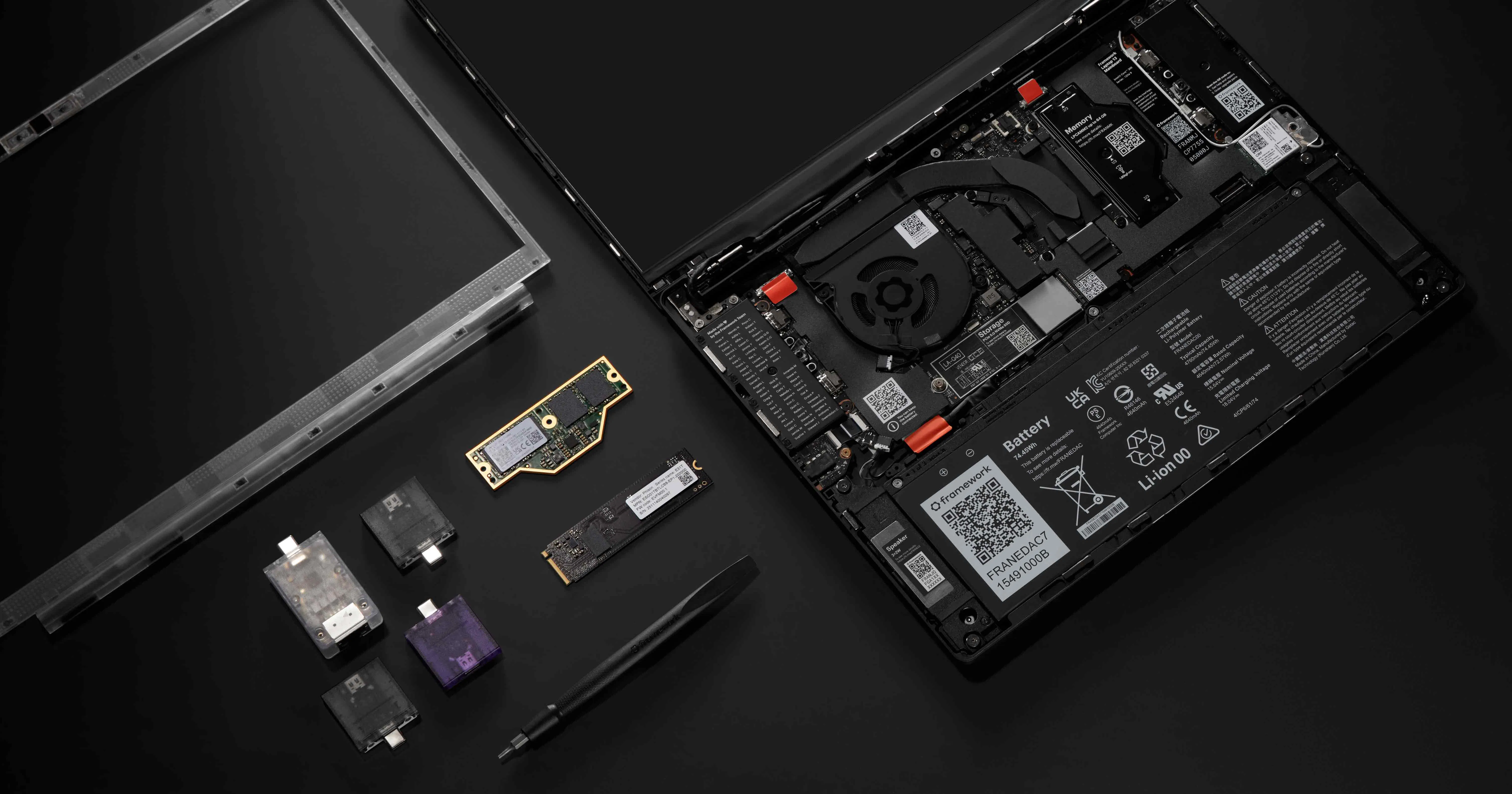
Framework announced the Framework 13 Pro including full Linux support right from the beginning.
Some quick information about the Device:
- will use Intel Core Ultra 300 (Panther-Lake)
- updated Battery Design with (up to) 20h Battery life
- custom designed Display Panel with Touch support (keeping the 3:2 aspect ratio)
- LPCAMM2 for upgradable/replacable RAM without compromising on Speed/Low Power of LPDDR5X
- milled Aluminium Unibody chassis
- Full Linux support right from the start (including Firmware update via LVFS, Fingerprint Reader, etc.)
- Haptic Touchpad
- and all the repairability features Framework is known for
You can watch their YouTube Video for a quick summary:
- YouTube: https://www.youtube.com/watch?v=GnOpIQJnYWU
- Invidious: https://inv.nadeko.net/watch?__goaway_challenge=js-refresh&__goaway_id=5a21ef489cbc0e9e48ccded2c92f2b68&__goaway_referer=https%3A%2F%2Finv.nadeko.net%2F&v=GnOpIQJnYWU
I was looking for a new laptop to replace my old Lenovo Yoga 370 and initially disregarded the Framework 13 because of some downsides (low Battery Life, bad Camera, etc.) and was looking to go with one of the following devices:
- HP Elitebook X g1a
- the new Dell XPS 14
- Asus Expertbook PM5 G2
or also a MacBook pro. I am using Linux since more then 10 years and never touched MacOS at all. So I was not sure if MacOS would work for me. But this announcement made it easy: It will be a Framework 13 Pro with Intel X7 358H!
You shouldn’t buy based on promises or assumptions. But if I had to guess, I’d say an OLED panel may come eventually. And it would likely be backwards compatible.
Original FW13 owners already had the original glossy panel, then the new matte higher resolution panel came out as a drop in replacement, and now this new touch panel is also a drop in replacement.
I already have a FW13 with the matte high res panel, I won’t be going to touch panel. But maybe if they do an OLED I’d jump to it.
My plan is not to upgrade unless I need to. If something breaks, it’ll get the newest version of whatever that thing is.
Unless I feel hampered by my 7040u in 3 or 4 years, then maybe I’ll do something about it? But I really don’t need that much horsepower in my life.
I’m just glad I have the option. And happy to support a company giving me the option.
From my experience trying to find retrofit displays for my ThinkPad P14s Gen 5, there’s two routes Framework probably could go down for this.
An OLED would be the best display option, and is somewhat more available. However, it requires extra voltage circuitry in order to work compared to an LCD, so there would probably need to be a mainboard revision to accommodate this, making it quite unlikely as it locks out users of existing systems (Unless they have some sort of adapter? No idea how that would work but maybe something could be done).
Alternatively, I have seen that there are Mini LED displays with the same connector (40 pin 4 lane eDP) and voltages that can work as a direct replacement, although without the per pixel backlight advantage of OLED. However there appears to be very few panels available in this configuration, probably raising the price a bit, especially since I can’t find any in the 13.5 inch size of the Framework 13. Considering this Pro version has a custom manufactured display though, they could probably source one eventually and sell it as an upgrade.