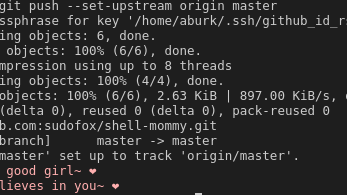
Did you reboot?
It could be that a system service was installed, and activated. This service could stay running even after the packages are removed, since the programs would remain in memory.


Did you reboot?
It could be that a system service was installed, and activated. This service could stay running even after the packages are removed, since the programs would remain in memory.


Absolutely, this is an admirable project.
But the first thing you should know is that QubeOS is not based on Linux, but is actually a different kernel, Xen. The Xen kernel virtualizes Linux, and all Linux runs under it.
Networking and hardware access is done by certain VM’s having devices (like the ethernet card or monitor/keyboard) passed through them, where Linux then handles the hardware access with it’s drivers.
This is important to understand that, because QubeOS is not a Linux distro. Really, it’s just that they selected Linux (it was either Debian or Fedora IIRC) as their management VMs.
But once you understand that it’s absolutely feasible to adjust the VM’s. It’s probably easier to modify a LInux distro (or create your own) and use that for all the VM’s, and then to reuse Qube’s management related software. That way you could do something like ship a version of debian that disables non-free software and firmware in the debian repos. Doing that is probably easier than creating your own distro entirely from scratch.
Another interesting thing about Qubes is that you are not limited to Linux. Of course, using Linux will be easiest. But the management VM’s can technically be any OS that supports it.


Yes this is the best way.
On Linux I’ve never had to install drivers for any printers, it comes with a “generic” driver that works for a ton of brands,
My favorite pro is league of legends support.


Yes
https://wiki.archlinux.org/title/Wireless_bonding
EDIT: oh wait, you configured them both with the same static ip address. Can you use a tool like iftop to check that both interfaces are actually being used? You can also use tcpdump -i interfacename or similar tools.
It’s very possible that this setup doesn’t break, but isn’t true bonding, where both connections can be used at once for more bandwidth. Although, maybe this is an easy, reliable way to get a failover type system, where when the ethernet is disconnected it automatically uses the wifi. Or maybe it’s been using only the wifi this whole time.


Kind of.
Copyfail would punch through user namespaces to get root straight on the host. User namespaces only really protect you against vulnerabilities in non kernel applications.
Limited capibilities/seccomp policies did help, though. In my admittedly limited testing, some of the vulnerabilities wouldn’t work in podman, but they would work in docker. This wasn’t due to user namespaces, but this was due to podman having stricter capibilities/seccomp policies than docker by default.
This implies that even if you were using docker rootless, they still would have been able to break out and get root in one go.
User namespaces don’t add that much security, in my opinion. Assuming your container has a non root user inside, adding user namespaces just changes the amount of cve’s/zerodays from 2 to maybe 3:
With a rootful container it’s:
With user namespaces it becomes:
User namespaces are like every other Linux security solution, they are extremely complex, hard to configure, and they don’t actually add that much security for the trouble The article I linked above has a section about them:
Another example of these features is user namespaces. User namespaces allow unprivileged users to interact with lots of kernel code that is normally reserved for the root user. It adds a massive amount of networking, mount, etc. functionality as new attack surface. It has also been the cause of numerous privilege escalation vulnerabilities, which is why many distributions, such as Debian, had started to restrict access to this functionality by default
Their complexity makes them difficult to secure and execute properly, and adds a ton of attack surface to the kernel.
Dirty frag, for example, was using user namespaces as one of the ways it would escalate. Most container runtimes restrict user namespace creation within user namespaced containers (via seccomp/capabilities), so running dirtyfrag in a container wouldn’t have worked. But, at the same time, dirtyfrag is only possible in the first place because of the attack surface user namespaces cause.
I mostly use docker and rootfull podman for everything. You already need a CVE/zeroday to do a container break out in the first place, so just keep your runtimes up to date and you should be good. If you really care about being proactive with security, and trying to preemptively prevent issues, user namespaces are not really a good solution, better is just to use a VM container runtime like kata or microvm, or a userspace kernel like gvisor or syd. They are pretty easy to use. You can just set them as your container runtime, in docker, podman, or kubes, and things will mostly just work. Those (and other kernel isolation solutions) would have actually beaten dirtyfrag, copyfail, and the like of recent vulns.


The reality is that security is not just technical implementation, but also actually getting people to use the solutions. “Stop disabling SELinux” is not a real answer to when people disable it, like we have one person in this thread.
Another problem with complex security solutions is they are hard to get right. Even if you enable them and configure them, without being an expert, it’s possible you left a gap here or there, and holes and gaps in these solutions.*
There is a good, but bit dated writeup here about the problems with Linux security, from an architecturual perspective: https://madaidans-insecurities.github.io/linux.html . But, the short version is that the Linux kernel is large and complex, and has a lot of attack surface. And it’s a frequent source of vulnerabilities because attackers can hit it as long as they access to the kernel, even if they are in a container/sandbox. Like, copyfail and dirtyfrag would punch through containers, but also punch through SELinux.
For example, just earlier on lemmy someone dropped a zero day that punches through SELinux: https://programming.dev/post/51103657
Now, SELinux can be used to restrict what a root shell could do after escalating… but that’s further complexity you have to learn to configure, and configure it correctly as well.
Ultimately, none of the Linux security solutions come anywhere near the isolation of simply running something in a virtual machine. Which, also happens to be a lot simpler and actually possible to get people to use.
*(putting this at the bottom because it veers off topic) I have a greater argument and problem with mentalities like this. I have noticed a pattern, where many of the more effortfull and toil intensive security solutions are recommended by people who have the time, energy, and skills to execute them. They have a bias/blindspot to the realities, which is that not everyone is in the same situation as them.
For example, updating/patching software. Linux distros like RHEL or Debian, have a policy where they only do security updates, and don’t do feature updates or bugfixes. This enables them to ship automatic updates, so that security issues are automatically handled.
On the other hand software like Windows, likes to bundle in breaking changes along with security updates. So automatic updates get disabled because “They might break something”. And then, people don’t update them, and environments get horrifically out of date, because not enough money/time/people is put into regular IT people who are in charge of maintaining them.
But some environments, have heroes, people who go around patching everything and keeping everything up to date and secure. And when they see these environments that don’t have everything patched, they usually give the advice of “You should patch everything” (while simultaneously advising against auto updates), not understanding that these environments are lacking a key ingredient: Themselves.
Sure, I could be a hero. I could “patch” everything manually. I could deploy SELinux. But that would only last until I get burnt out, or leave. Once I’m gone, SELinux, the patches, any similar security solutions are gone. I’ve met so many people, even in cybersecurity, that are apathetic about security, even though they might have cared once upon a time.


Thank you so much!


Sorry for no transcript :(


I use KDE as my desktop. KDE is installable on any distro, although you probably want a distro with a newer version of it like Fedora or Opensuse. On KDE, these two shortcuts do what you would expect them to do.
Win + V opens up a clipboard manager by default:

I actually like this clipboard manager better than the Windows default clipboard manager, because it lets me search, edit, or star items so they can be found quickly from the “starred only tab”. The amount of items kept is also configurable, and it keeps way more items than the Windows clipboard manager.
Windows + Shift + S opens Spectacle (KDE’s screenshot utility) by default. It has some basic editing features, but one feature about it I like is there is an option to upload the screenshot directly to imgur for easy sharing.
For RDP, I recommend using Remmina to connect to machines via RDP. It supports shared clipboard, but also shared filesystem and some other nice stuff. You can save connections and their options to easily connect again later.
Remmina is a mature program that is available in the repositories of most Linux distros.


Yes. Nix is fine as long as you do “supported” things. But the moment you step outside of that, it’s a nightmare and you have to be or consult an expert.
The lack of gpu acceleration is a dealbraker for making nix a flatpak alternative. And you can get it working but then it breaks the desktop integration unless you do more work and yeah.


Were these numbers generated using compsize or a similar tool that asseses deduplication, symlinks, and compression properly?
I get much different numbers than I use one or the other.
gdu:
gdu ~ Use arrow keys to navigate, press ? for help
--- /var/lib/flatpak ---
2.6 GiB ████████ ▏/runtime
471.7 MiB █▍ ▏/app
114.4 MiB ▎ ▏/repo
9.1 MiB ▏/appstream
164.0 KiB ▏/exports
0 B ▏.changed
compsize:
[moonpie@nefertem flatpak]$ sudo compsize -x /var/lib/flatpak
Processed 73225 files, 31115 regular extents (70649 refs), 35977 inline.
Type Perc Disk Usage Uncompressed Referenced
TOTAL 64% 1.9G 2.9G 6.4G
none 100% 1.3G 1.3G 2.6G
zstd 35% 596M 1.6G 3.8G
Only 2 gb’s are actually being used, even though some tools might be reporting 6.4 gb.
And this is with these runtimes installed:
Name Application ID Version Branch Installation
Freedesktop Platform org.freedesktop.Platform freedesktop-sdk-23.08.34 23.08 system
Mesa org.freedesktop.Platform.GL.default 25.0.7 23.08 system
Mesa (Extra) org.freedesktop.Platform.GL.default 25.0.7 23.08-extra system
Mesa org.freedesktop.Platform.GL.default 26.0.5 25.08 system
Mesa (Extra) org.freedesktop.Platform.GL.default 26.0.5 25.08-extra system
Codecs Extra Extension org.freedesktop.Platform.codecs-extra 25.08-extra system
GNOME Application Platform version 49 org.gnome.Platform 49 system
Breeze GTK theme org.gtk.Gtk3theme.Breeze 6.6.5 3.22 system
So you can get app which weights 4mb with runtime which weight 250 more than app itself.
Except for the fact that the runtime is reused across apps, meaning that another app which uses up that runtime won’t be taking up any extra space.
Appimages weight much less but lack sandboxing.
You can sandbox them with something like firejail or bubblewrap.
I hadn’t tried nix but it also lacks sandboxing.
Similar, you can sandbox with bubblewrap. But you gotta write nix code to do it because ofc:
https://github.com/fgaz/nix-bubblewrap , https://github.com/nixpak/nixpak , https://sr.ht/~alexdavid/jail.nix/
I’ve tried to use them before though, definitely not as easy as flatpak’s flatseal sandboxing in comparison. Also, nix apps on non nix distros aren’t GPU accelerated.


I use nix to get many cli apps (on arch/cachyos), but the flakes and non flakes split makes things very tough, and causes this annoying documentation split. And then certain things can only be done via flakes and vice versa.
I try to limit my use of nix to using home manager to ONLY install packages, but even then there are annoying things.
Like for example, many users may gravitate towards nix-env for installing packages, not understanding that oops, you aren’t actually supposed to use nix-env. nix profile install is better and more supported, but it’s flakes only. Flakes are off by default, and must explicitly be enabled because they are still “experimental” despite them being extremely popular. The official documentation is often hesitant to touch flakes because of this, so there is this horrific documentation split where a bunch of different unofficial docs cover flakes in varying manners.
Or, another thing is that nix apps on non nix distros have no gpu access/hardware acceleration. I have a home manager config to enable that: https://github.com/moonpiedumplings/home-manager/blob/main/home.nix#L32
And then I couldn’t figure out how to make that work on aarch64 (asahi) so I just had to disable it,
But it is something that is insane to make someone learn how to do for just installing programs. But the latter issue doesn’t affect nixos.
Anyway, I like nix. I use home manager, but for packages only, and I use it for my development environments.


Maybe. But they, and many others overestimate the amount of size flatpaks take up.
Flatpaks use a “runtime”, a shared set of libraries and programs flatpak apps use. With one flatpak app, there is just one runtime. But with 2, 3, 10 flatpak apps, there are still only going to be 1 (to 3) runtimes on the system. This is not the same for something like appimage.
In the blog, they compare the size of deepin calculator across formats. But this is not a fair comparison. A more fair comparison would involve comparing the app size without the runtime, or comparing many apps installed.
In addition to this, if you are on btrfs, further deduplication and compression is done. This (and symlinks) won’t show up in many disk and space usage analysis tools. To get a more accurate measure, use compsize instead of traditional tools. It will show you how much transparent compression (when btrfs compresses files but you can stilll access them normally), symlimks and the like are saving space.
Anyway, I am interested in more cross distro package managers though. Flatpak, docker, and nix cover a lot of things but have their annoying edge cases and paper cuts, especially in comparison to snap in some ways for some apps.
Edit: linglong appears to reuse system libraries, which would probably lead to significanr space savings at the cost of portability across distros


In my testing, zram has much, much better compression than zswap.
The points about LRU inversion, cgroups, and so on are valid, but at the end of the day, I don’t really care. I was able to open as many firefox tabs as I wanted with zram, but I could not do so with zswap, and that’s what matters to me.
The author of a blogpost is a facebook engineer. Millions of ultra high performance Linux servers are a very different usecase than a single desktop. It’s perfectly reasonable for a solution for one to not be appropriate for the other.
Copied from my previous comment about this where ISO also gave a similar reply and was met with a similar response lmao.


https://documentation.divio.com/
Documentation about documentation, hehehe


Yes, that is true.
Thought, even this remains problematic because cargo does execute build/compile time scripts, unsandboxed, that can be used to do malicious things, similar to the problems with npm.


Rust
Rust is doing pretty poorly right now.
among the 999 most popular crates on crates.io, around 17% contained code that do not match their code repository.
https://kerkour.com/rust-supply-chain-nightmare
Rust programs that are compiled with cargo, when compiled as dependencies of another program or when compiling a binary itself, can execute arbitrary code via build time scripts, and they are executed unsandboxed. This is a security nightmare.
push whatever you want to an NPM package if you have the author’s login
This is how all language package managers work, unfortunately. The login’s security can be improved, via things like 2fa, but it’s currently very bad. Having multiple parties use keys to sign packages after reviewing all changes, is a thing unique to distro package managers, and it is why Linux distros are extremely resilient against supply chain attacks.
Woops, a duplicate?